A hands-on look at Omnissa KB 6000812 (PCoIP End of Support Status), with a before/after test on Horizon Connection Server 2603.
|
Starting with the 2606 client release train, Horizon Client no longer offers PCoIP as a selectable protocol. I tested Horizon Client 2609 against a Connection Server 2603 desktop pool configured with PCoIP as the default protocol: the session silently connected using Blast. If your environment still depends on PCoIP, do not roll out the new client until you have validated Blast or ask to your team to verify |
Background: the long goodbye to PCoIP
PCoIP has been part of Horizon (and View before it) for more than a decade, and many environments still run on it, often because of zero clients, legacy GPO tuning, or simply because “it has always worked”. The end has been announced for a while:
Omnissa tracks the current status in KB 6000812 – PCoIP End of Support Status. I recommend bookmarking it, because it is the reference point for what is still supported and where.
Before the upgrade: PCoIP is still there
With the previous Horizon Client, right-clicking a desktop entitlement (or opening its settings) shows the familiar protocol choice: users can pick either Blast or PCoIP, as long as the pool allows it.
|
|
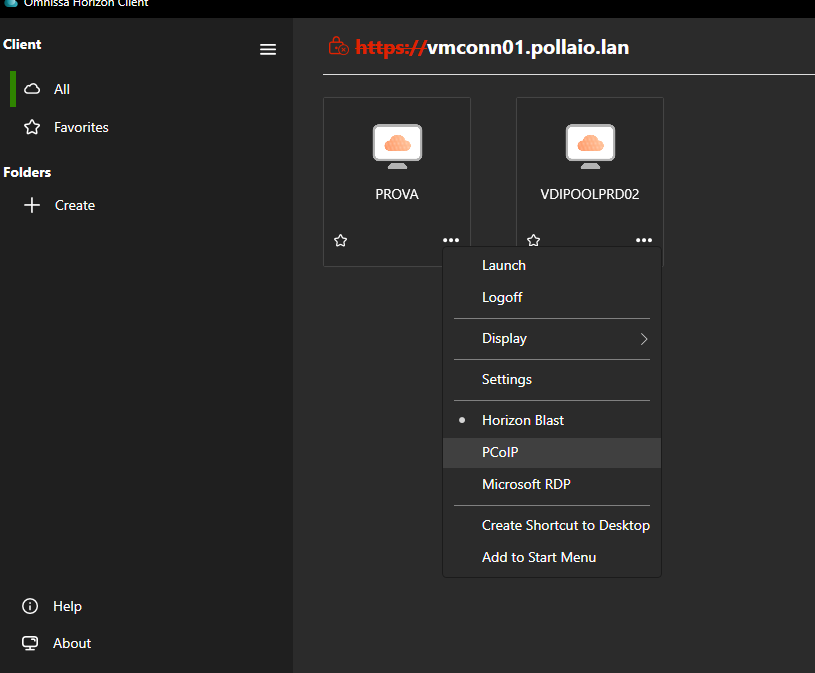
Figure 1 – Horizon Client before the upgrade: PCoIP is still selectable.
After the upgrade to Horizon Client 2609: Blast only
After upgrading the client to 2609, the same menu shows only Blast. The PCoIP option has simply disappeared from the user interface. There is no warning to the user at upgrade time and nothing to configure: the choice is just not there anymore.
|
|
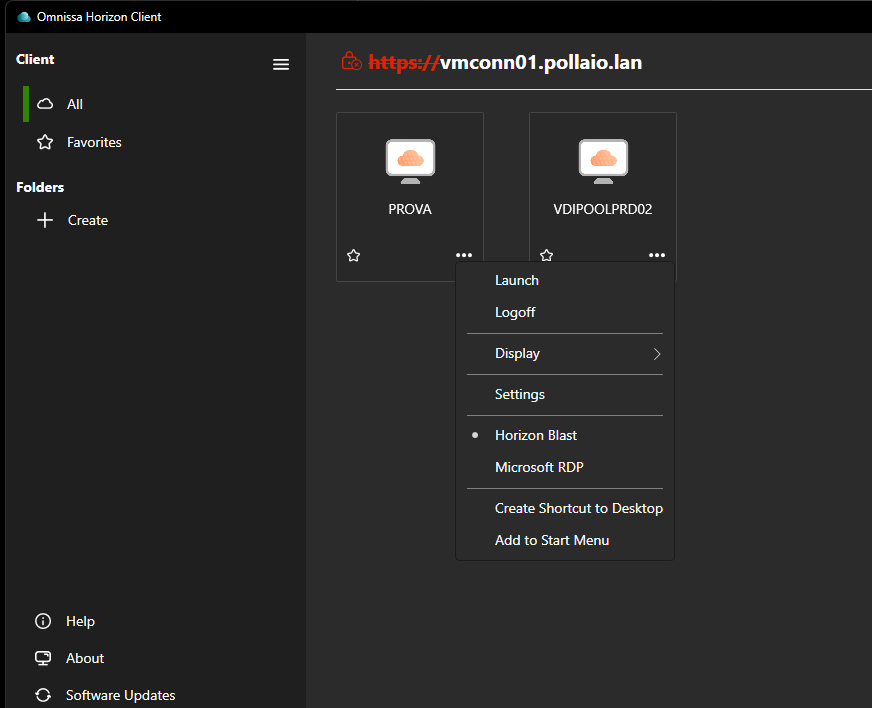
Figure 2 – Horizon Client 2609: PCoIP is no longer available.
The test: pool set to PCoIP on Connection Server 2603
The more interesting question is what happens on the server side. Many administrators will assume that if the desktop pool is configured with PCoIP as the default protocol, the connection will either use PCoIP or fail. So I tested it.
Lab setup
|
|
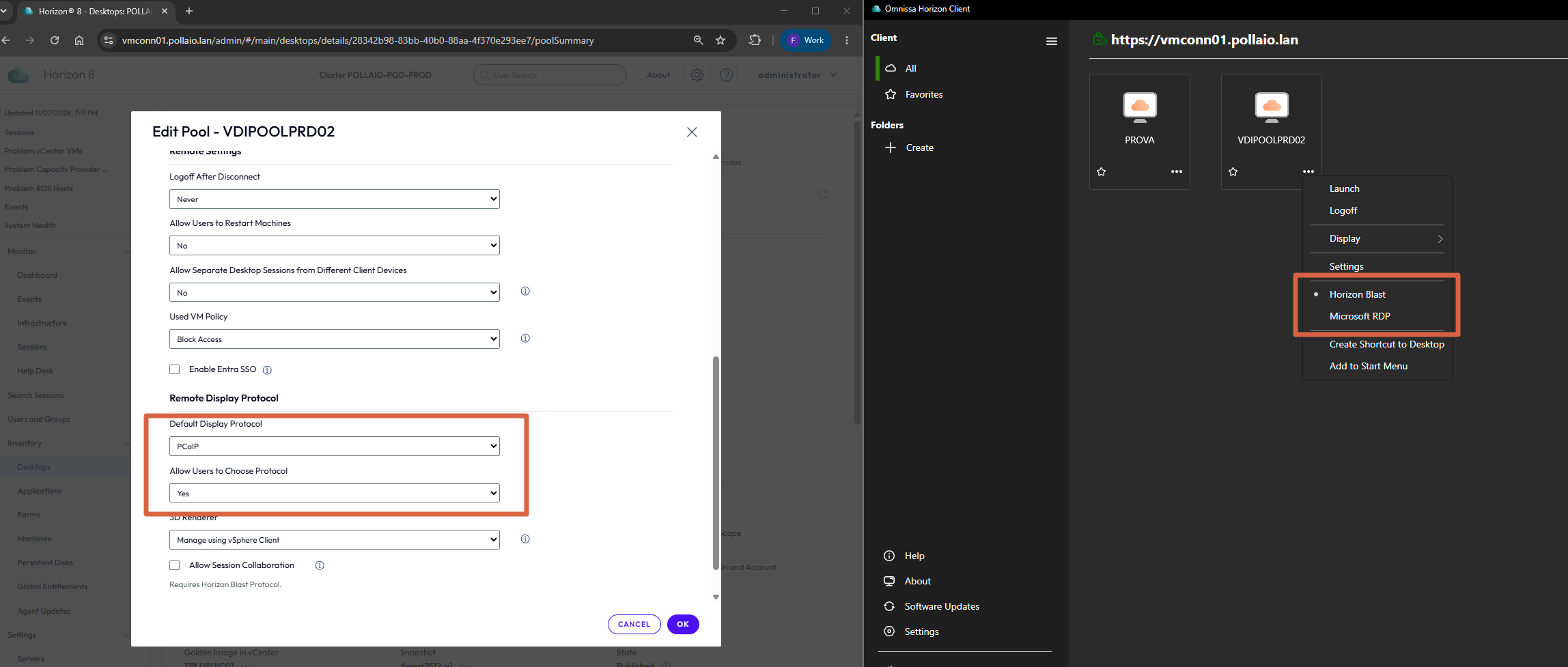
Figure 3 – Desktop pool configured with PCoIP as the default display protocol.
Result
The connection succeeds, but the session does not use PCoIP. Checking the active session (in the client and in the Horizon Console sessions view), the protocol in use is Blast.
|
|
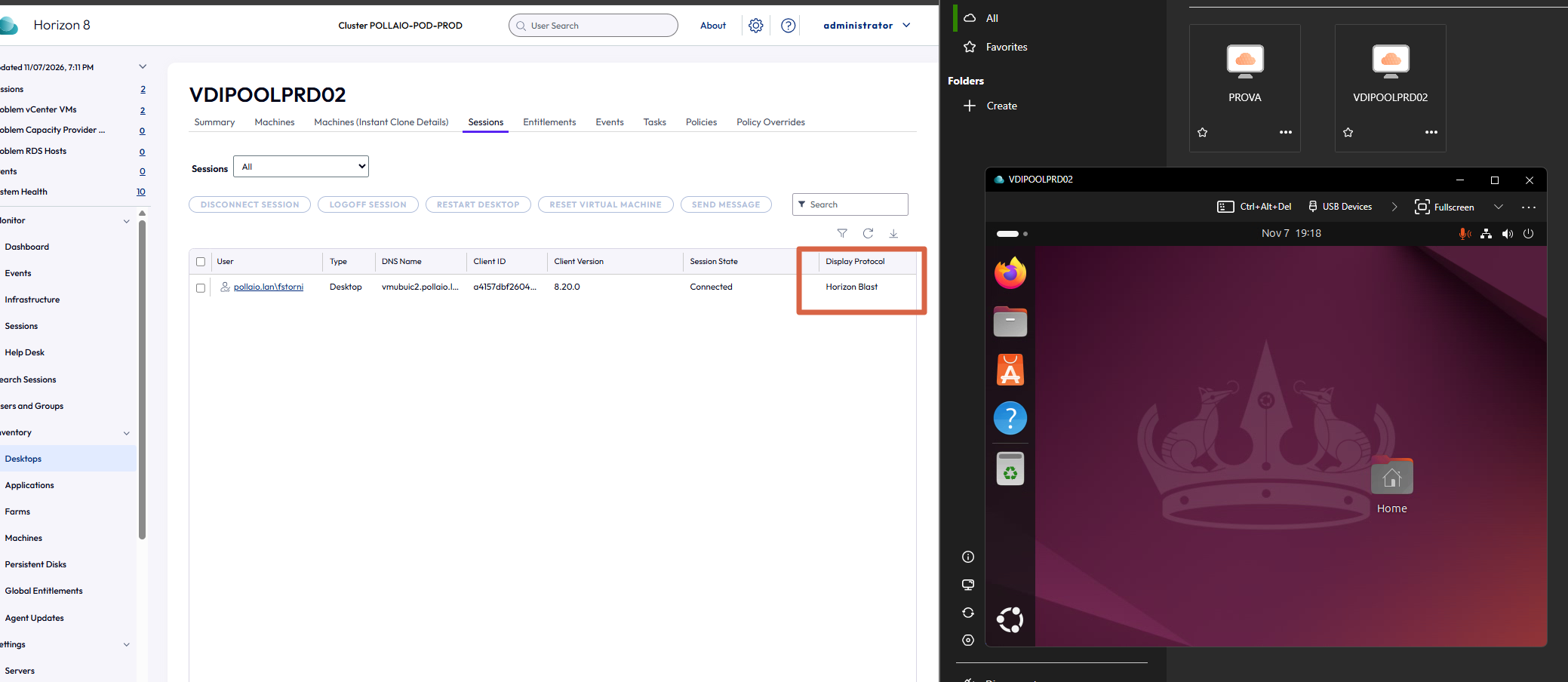
Figure 4 – Despite the pool default, the session from Horizon Client 2609 runs on Blast.
|
Key takeaway: the pool configuration does not protect you. With Horizon Client 2609, the protocol is decided by the client: your “PCoIP” pool will serve Blast sessions. |
|
|
Horizon Client 2603 (before) |
Horizon Client 2609 (after) |
|---|---|---|
|
Protocols in the client menu |
Blast and PCoIP |
Blast only |
|
Pool default = PCoIP |
Session runs on PCoIP |
Session runs on Blast |
|
PCoIP GPOs / tuning |
Applied |
Not relevant: Blast policies apply |
|
Network path used |
PCoIP (TCP/UDP 4172) |
Blast (TCP/UDP 22443 direct, 8443 via gateway) |
Table 1 – Summary of the before/after behavior observed in the lab.
Why this matters
A protocol switch that “just works” sounds harmless, but in production it can catch you off guard:
Recommendations
Conclusion
PCoIP’s end of support is no longer a future roadmap item: with Horizon Client 2609, users simply cannot choose it anymore, and a pool set to PCoIP will quietly serve Blast sessions. The switch itself is not the problem; doing it without preparation is. Treat the client upgrade as a protocol migration, plan it, test it, and you will avoid unpleasant surprises on Monday morning.