Covers UAG 2606 and 2609 · Based on official Omnissa release notes · November 6, 2026
I recommend updating due to a serious security vulnerability!
Why upgrade
If you are still running UAG 2603 (April 14, 2026), you have two releases to catch up on: 2606 (August 24, 2026) and 2609 (October 29, 2026). Jumping straight to 2609 gets you, in one step, the new AlmaLinux 9.6 operating system, TLS certificate replacement without downtime, the redesigned Admin UI and fixes for two CVEs.
This guide lays out what changes, which bugs are fixed and, most importantly, which behaviours change and must be checked before you upgrade. All information comes from the official Omnissa release notes; the screenshots come from my lab.
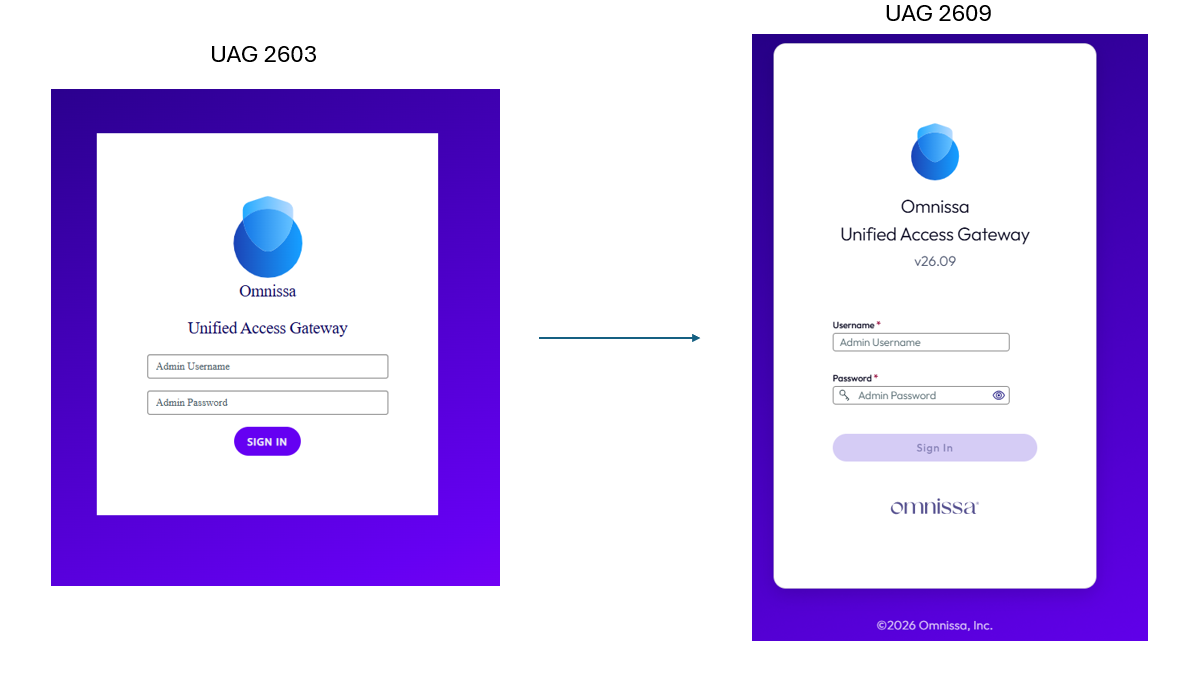
At a glance: 2603 → 2606 → 2609
|
Area |
2603 (current) |
2606 |
2609 |
|---|---|---|---|
|
Release date |
Apr 14, 2026 |
Aug 24, 2026 |
Oct 29, 2026 |
|
Operating system |
AlmaLinux 9.2 |
AlmaLinux 9.6 |
AlmaLinux 9.6 + OS and Java updates |
|
Admin UI |
Classic |
Classic |
Redesigned (dashboard, search, guided JSON import) |
|
TLS certificates |
RSA only, service restart on change |
ECC/ECDSA, replacement without dropping sessions |
Same as 2606 |
|
Authentication |
SAML Artifact Binding, OIDC JWKS refresh |
Multiple signing certs in IdP metadata, dedicated SAML signing cert |
Strict X.509 client certificate validation |
|
KVM / Nutanix AHV |
OVA |
Native QCOW2 image |
Same as 2606, plus OpenShift (LA) |
|
Declared CVEs |
– |
– |
CVE-2026-91403, CVE-2026-114406, CVE-???? |
|
Open known issues |
4 |
1 |
None |
What’s new on 2606 (August 2026)
2606 is the platform release: it changes the operating system and makes certificate management far less disruptive.
General
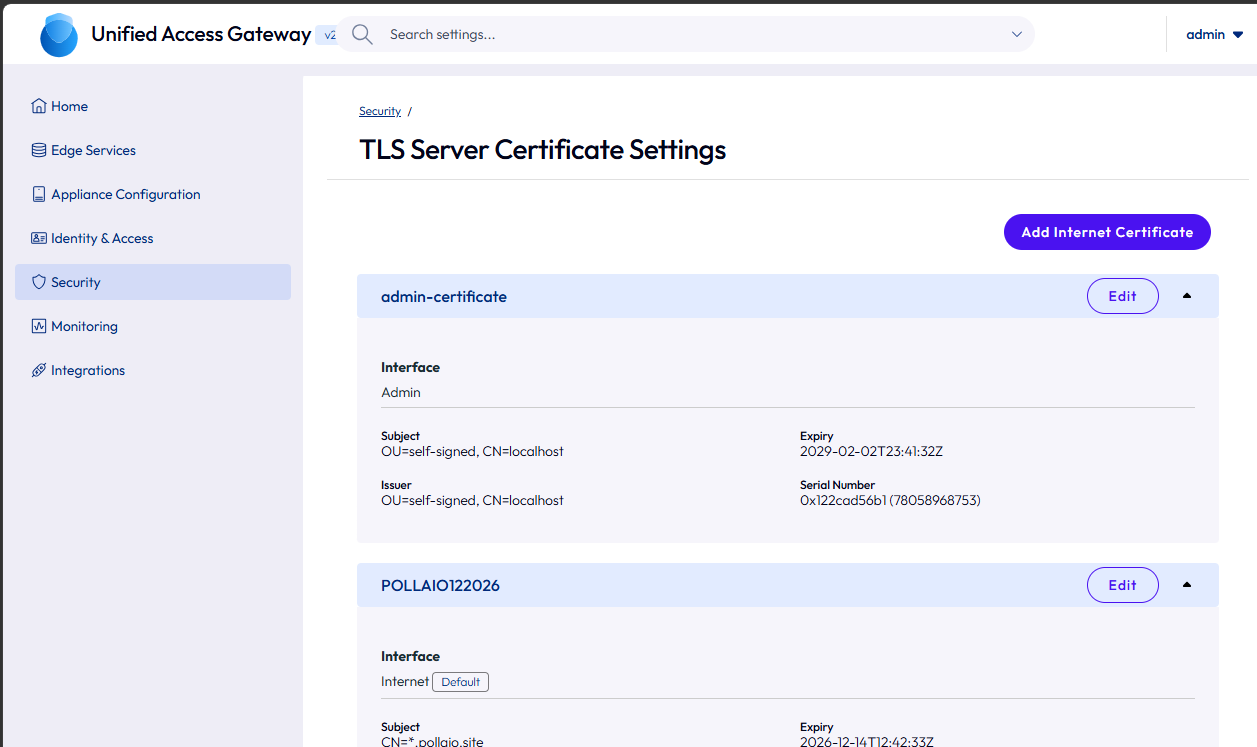
Horizon and certificates
TLS Server Certificate Settings: uploading a new certificate while a Horizon session stays connected. This is a video where I try it
Deployment on KVM and Nutanix AHV
Content Gateway
No new features: security and stability updates only.
What’s new in 2609 (October 2026)
2609 is the most visible release for administrators: a new console, stricter client certificate checks and two CVEs closed.
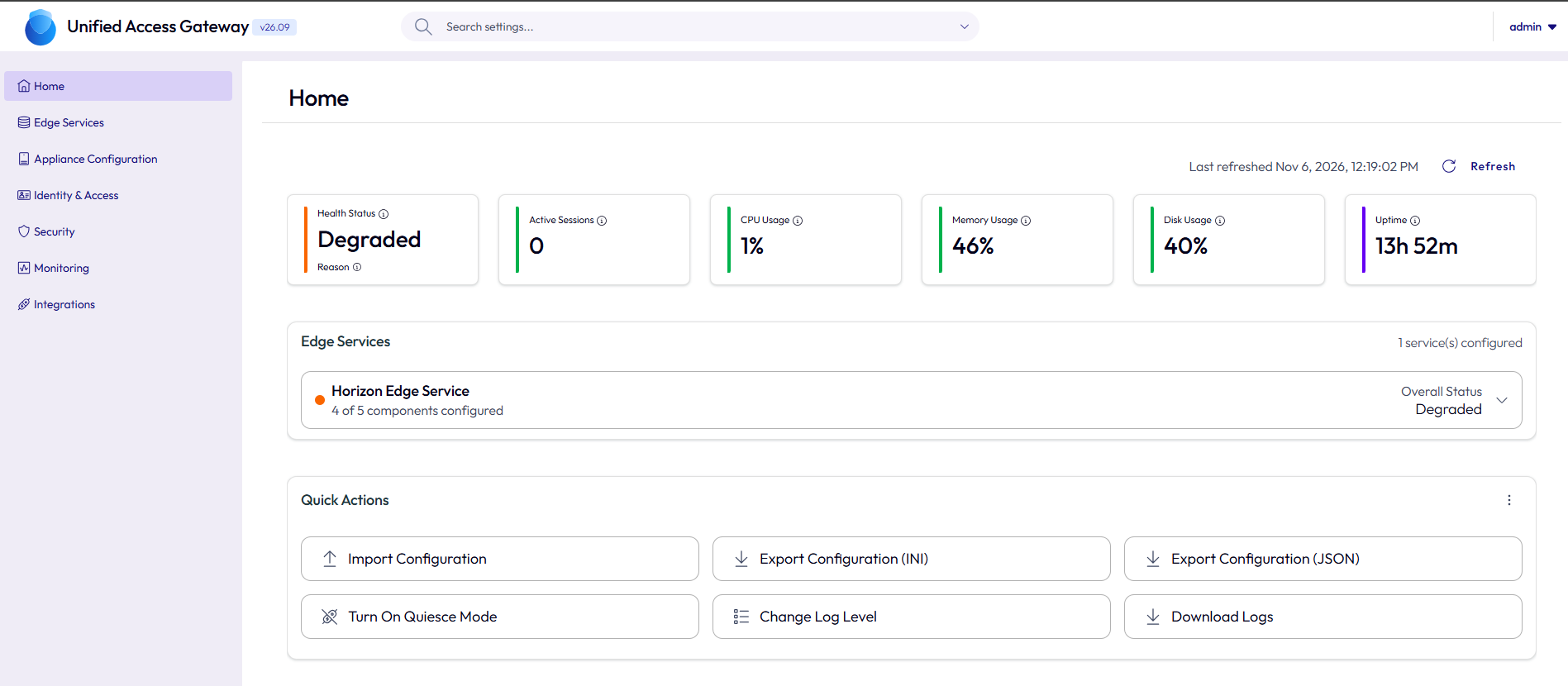
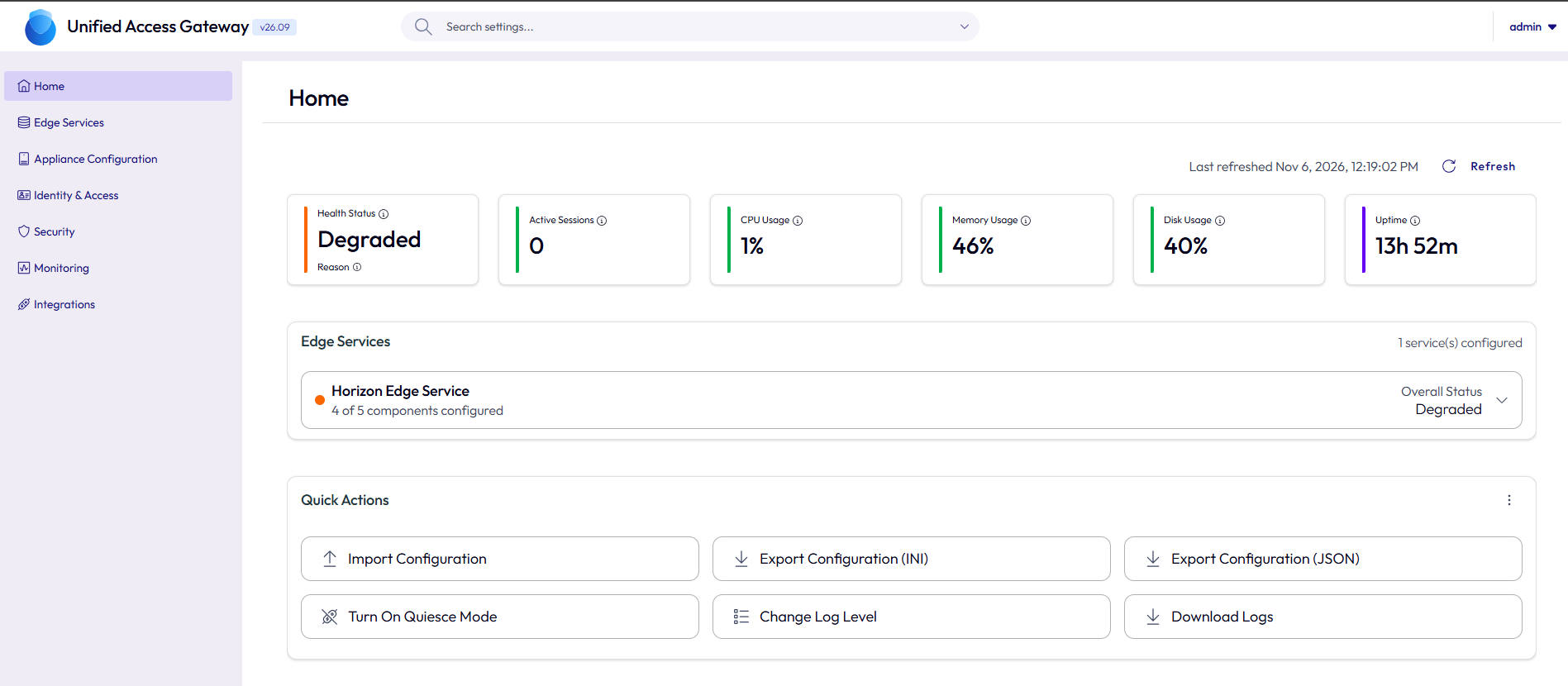
Redesigned Admin UI
[Screenshot 3] New UAG 2609 dashboard (edge service health and resources).
[Screenshot 4] Search bar in the new Admin UI while looking up a setting (e.g. “syslog” or “certificate”).
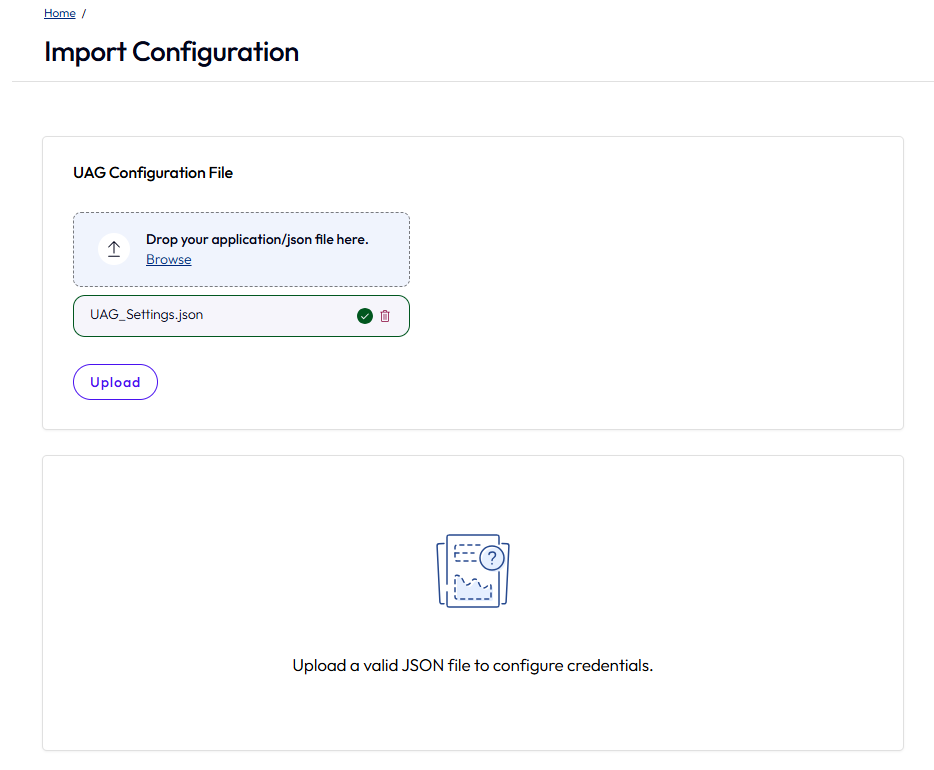
[Screenshot 5] Importing a JSON file, showing the preview/validation screen.
Authentication
Horizon
Other
Security: what moving to 2609 fixes
UAG sits in the DMZ and is exposed to the Internet; that is the main reason not to fall behind. Since 2412, automatic OS patch updates are not available, so the only way to receive OS and Java fixes is to install the new release.
|
Version |
Security change |
|---|---|
|
2609 |
Addressed the eMudhra (CA) key compromise issue |
|
2609 |
Resolved CVE-2026-91403 and CVE-2026-114406 through OS and Java updates |
|
2606 |
Fixed UAG-13396: stack trace disclosure from an API under certain conditions (a known issue in 2603) |
|
2606 |
OS upgraded from AlmaLinux 9.2 to 9.6 with its packages |
|
2606 and 2609 |
Updated OS packages and Java components |
Bugs fixed between 2603 and 2609
Moving to 2609 resolves 10 documented issues, including all four known issues of 2603. 2609 has no declared known issues.
|
ID |
Fixed in |
Issue |
Known issue in 2603 |
|---|---|---|---|
|
UAG-13728 |
2609 |
rootSessionIdleTimeoutSeconds did not extend the Idle Shell Timeout |
No |
|
PPAT-21429 |
2609 |
Syslog over TCP failed when sent directly from the Tunnel service |
Yes |
|
PPAT-22611 |
2609 |
Syslog access logs had corrupted remote_host_ip / remote_host_port values for TCP tunnel flows (logging only, traffic not affected) |
No |
|
PPAT-22748 |
2609 |
Tunnel Server deadlock, with possible service disruption, when a DTR policy refresh coincided with active sessions |
No |
|
PPAT-22168 |
2606 |
Tunnel logs are no longer sent to stdout and stderr |
No |
|
PPAT-21439 |
2606 |
A DTR rule with a non-matching protocol (e.g. UDP:*) stopped evaluation of the other domains in the same rank |
No |
|
AST-25524 |
2606 |
“Settings imported partially” error when re-importing a just-exported JSON |
Yes |
|
UAG-13396 |
2606 |
Stack trace disclosure from an API |
Yes |
|
UAG-13133 |
2606 |
Incorrect health status after rapid configuration changes |
No |
|
UAG-13953 |
2606 |
False-positive CONFIG_CHANGE audit log entries when reading the SAML configuration via API |
Yes |
Before upgrading: 2609 behavior changes
2609 introduces stricter checks that, depending on your configuration, can block connections that worked on 2603. Omnissa provides a pre-upgrade checklist in KB 6001863: read it before you proceed.
|
Change |
What to check |
Risk if ignored |
|---|---|---|
|
Host header allow list |
The Host header of every request must match the configured allow list |
Requests rejected with HTTP 400 |
|
CA thumbprint for outbound connections |
Backend servers (Connection Server, etc.) must present a complete chain ending at the configured CA |
Failed connections to backends |
|
IdP SAML metadata |
Metadata must include the leaf certificate the IdP uses to sign assertions |
Failed SAML logins |
|
Extended Server Certificate Validation |
Better RFC conformance; applies only if enabled (disabled by default) |
Certificate validation errors |
|
SNMP v1/v2c |
JSON import and PowerShell deployment prompt for the community name; if blank, “public” is used |
Unintended community name |
Minimum checklist:
Recommended upgrade procedure
UAG is not upgraded in place: you deploy a new 2609 appliance and apply the old configuration to it. With two or more UAGs behind a load balancer, work one node at a time with no downtime.
Summary
Going from 2603 to 2609 brings a newer operating system, two CVEs closed, ten bugs fixed (including every 2603 known issue), certificate replacement without downtime and a much better console. The only real preparation concerns the new checks on Host header, certificate chains and SAML metadata: once those are verified, the upgrade is a routine appliance swap.