A guide to enterprise federation, single sign-on, and modern identity management
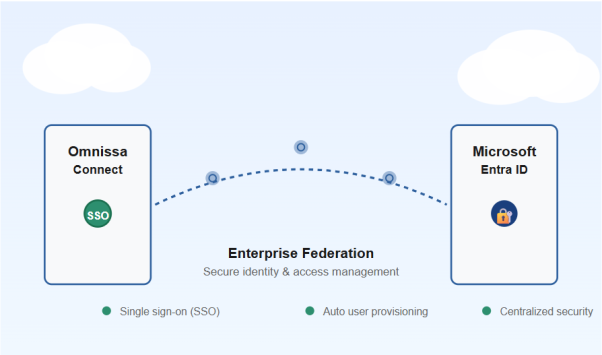
What is Omnissa Connect?
Omnissa Connect is a centralized platform service that provides IT administrators and users with a single sign-on (SSO) gateway to access and manage all Omnissa services, such as Workspace ONE and Horizon. It streamlines workflows by unifying access, identity management, and service onboarding into one intuitive interface.
Key features of Omnissa Connect include:
What is Microsoft Entra ID?
Microsoft Entra ID (formerly Azure Active Directory) is Microsoft’s cloud-based identity and access management service. It’s the foundation that millions of organizations use to manage employee identities, secure access to applications, and protect their digital assets.
Entra ID is likely already at the heart of your organization if you use:
Why Integrate Omnissa Connect with Microsoft Entra ID?
Connecting Omnissa Connect with Microsoft Entra ID through enterprise federation creates a powerful identity ecosystem. Here’s what you gain:
Single Sign-On (SSO)
Your users log in once with their corporate credentials and automatically gain access to Omnissa Connect—no separate usernames or passwords to remember.
Automatic User Provisioning
When you add or remove users in Entra ID, they’re automatically synced to Omnissa Connect. No manual account creation, no forgotten deprovisioning, no stale user accounts cluttering your systems.
Centralized Security
Manage all user access, permissions, and security policies from one central location. Apply multi-factor authentication (MFA), enforce password policies, and monitor access across your entire organization from Entra ID.
Reduced IT Overhead
Your IT team spends less time managing separate identity systems, resetting passwords, and troubleshooting access issues. Everything is automated and synchronized.
Improved Compliance
Maintain detailed audit logs of who accessed what and when. Meet regulatory requirements for access control and identity management with confidence.
A Real-World Example
Before Federation:
Sarah joins your company. The IT team manually creates accounts in Omnissa Connect, Microsoft 365, and four other systems. Sarah has to memorize 5 different passwords. When Sarah leaves three years later, the team forgets to deactivate her Omnissa Connect account, leaving a security gap.
After Federation:
Sarah’s first day: HR adds her to Entra ID. Omnissa Connect automatically creates her account and grants the right permissions. She logs in with her corporate email and password—the same one she uses for everything else. On her last day: HR removes her from Entra ID. Within seconds, Omnissa Connect and all other connected systems automatically deactivate her access. No manual steps. No forgotten accounts. No security gaps.
Is This Right for Your Organization?
Enterprise federation between Omnissa Connect and Entra ID is ideal if your organization:
What’s Involved?
Configuring enterprise federation requires several steps—from verifying your domain to setting up the connection between systems to testing everything works smoothly. The process typically involves:
The Complete Step-by-Step Guide
While this overview covers the benefits and concepts, implementing enterprise federation involves detailed technical configuration. The complete guide is a comprehensive document with in-depth instructions, detailed screenshots, and step-by-step walkthroughs for both Omnissa Connect and Microsoft Entra ID configuration. Due to its length and technical depth, I share it directly with clients and organizations ready to implement the solution.
The complete guide includes:
Ready to streamline your organization’s identity management?
If your organization is ready to implement enterprise federation between Omnissa Connect and Microsoft Entra ID, I’m here to help. Whether you need guidance on setup, troubleshooting during configuration, or best practices for managing the transition, I can provide a complete, step-by-step implementation guide tailored to your needs.
Get in touch to request the full technical guide and start your journey toward simplified, centralized identity management.
📧 Contact me for the complete implementation guide
Let’s simplify your organization’s identity and access management together.