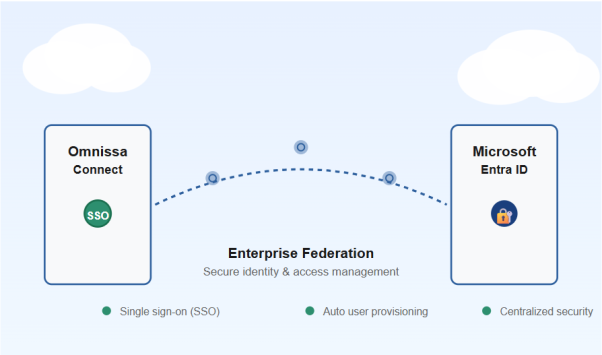
My Initial Experience
During the preparation activities for deploying a new Horizon Cloud on Azure environment, I was reading the official documentation at
https://docs.omnissa.com/bundle/UsingManagingHorizonCloud/page/DeployingaMicrosoftAzureEdge.html
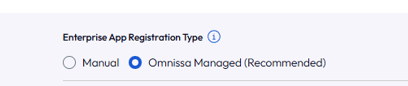
and discovered the presence of a new and recommended deployment method: the “Omnissa-managed” mode.

I immediately wanted to test it, but in my Omnissa Connect console, this option wasn’t yet available.
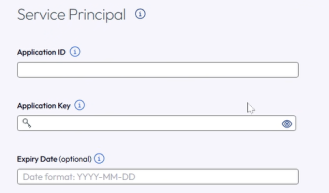
I contacted support and they informed me that the feature would be released soon, but if I wanted to use it immediately, they could enable it through a Feature Flag. Obviously, I couldn’t say no to that opportunity! Once they provided my ORG ID and enabled the flag, the new option appeared while I was creating the EDGE in the Primary Provider section.
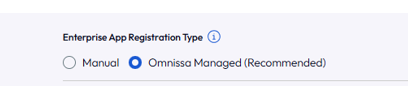
This is my journey with the Omnissa-managed method, and I’d like to share what I learned about this game-changing approach.
Introduction
Horizon Cloud on Microsoft Azure is evolving, and Omnissa has introduced a significant security enhancement that every administrator should know about. The new Omnissa-managed Enterprise App registration method represents a paradigm shift in how organizations handle service principal credentials. If you’re planning a Horizon Cloud deployment on Azure, understanding the difference between this new approach and the traditional manual method could be crucial for your security posture.
The Security Challenge
Historically, deploying Horizon Edge in Horizon Cloud on Azure required organizations to create and manage their own Azure Enterprise Applications. This approach meant handling sensitive service principal secrets—credentials that need to be carefully managed, rotated, and protected. The more systems that have access to these secrets, the higher the security risk.
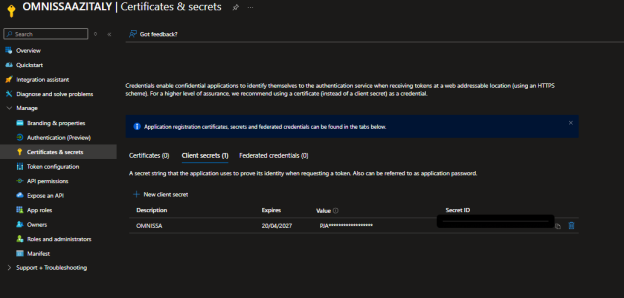
The traditional single-tenant deployment method (Manual Enterprise App registration) placed the responsibility of secret management squarely on the customer organization. While this approach continues to be supported, it introduces additional operational overhead and potential security vulnerabilities.
Enter Omnissa-Managed
Omnissa has introduced a new Enterprise App registration method that fundamentally changes who manages the service principal secrets.
Key Benefits
1. Enhanced Security
Organizations no longer need to provide their sensitive secrets key information to Omnissa or manage it themselves in the context of Horizon Cloud deployment. The credentials remain under Omnissa’s direct management, reducing the attack surface and potential points of compromise.
2. Simplified Administration
Say goodbye to manual Enterprise Application creation and complex permission configurations. With Omnissa-managed registration, the setup process is streamlined. Omnissa handles the heavy lifting—you focus on deployment.
3. Reduced Operational Overhead
No more worrying about secret rotation schedules, credential lifecycle management, or complex authentication flows. Omnissa manages these operational concerns, freeing your team for other critical tasks.
4. Enterprise-Grade Security
By centralizing secret management with Omnissa, organizations benefit from enterprise-grade security practices, regular audits, and dedicated security expertise that Omnissa brings to the table.
Manual Registration: Still Available
For organizations with specific requirements or legacy configurations, the traditional single-tenancy method remains available. This manual Enterprise App registration approach allows organizations to maintain full control over their authentication setup if needed. However, unless you have specific compliance or architectural reasons, the manual approach introduces unnecessary complexity.
The Recommendation
Omnissa-managed is the recommended method for all new Horizon Cloud deployments on Azure. Omnissa has taken the guesswork out of enterprise app management and elevated the security baseline for everyone using Horizon Cloud.
If you’re currently on the manual registration path, consider planning a migration to the Omnissa-managed approach. The transition offers immediate security benefits with reduced administrative overhead.
Getting Started
Ready to leverage Omnissa-managed registration for your deployment? The process is straightforward:
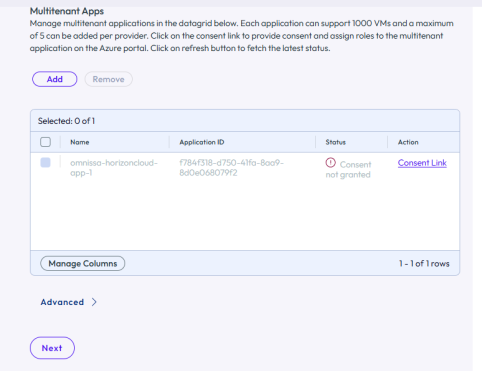
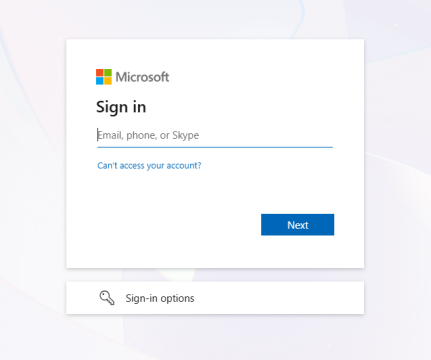
Insert Azure Subscription credentials (in my case Global Admin User)

Now we can see the new enterprise application with Omnissa Logo.

First, verify the role assignment status in Omnissa Connect:
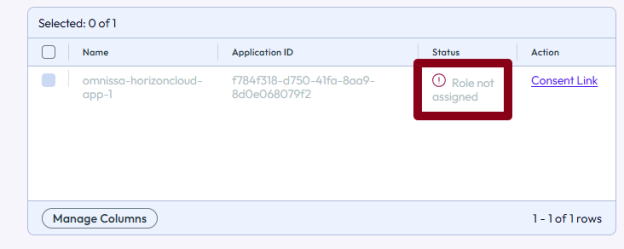
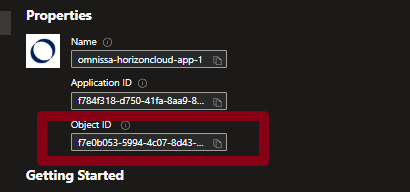
Get the Object ID from the Omnissa Enterprise App:
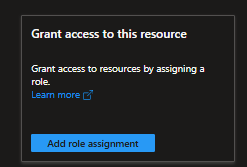
Go to your subscription and select IAM (Identity & Access Management):

Select add role assignment
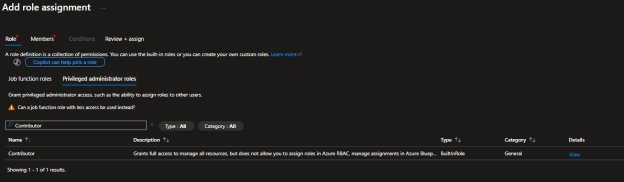
Search Contributor in Previleged admnistrator Role

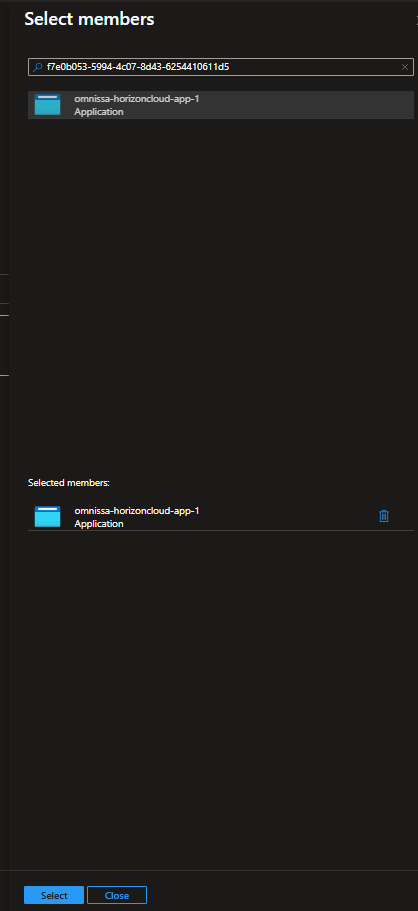
Select Member and ad the Enterprise Application Object ID or name

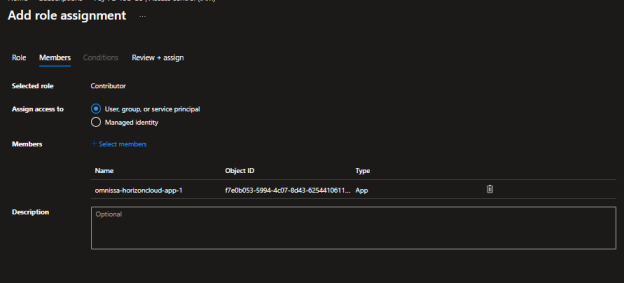

Return to the Omnissa Connect wizard. If the role is still showing as “Role not Assigned”
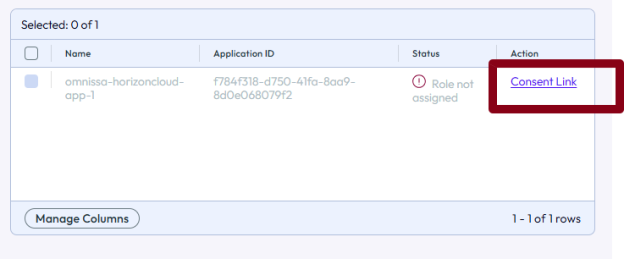
Go back to the previous step and return to refresh (Omnissa Engineer should add a refresh button)
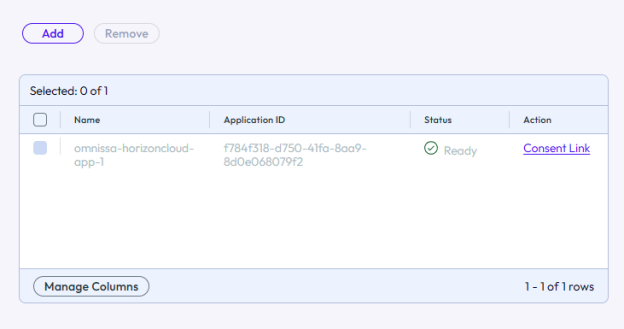
At this point, you’re ready to choose whether your EDGE will be an AKS (Azure Kubernetes Service) or a Virtual Machine.
The Omnissa-managed Enterprise Application has been successfully created and configured with the naming convention omnissa-horizoncloud-app-1, marked with Omnissa’s branding for easy identification.
Conclusion
The shift to Omnissa-managed Enterprise App registration represents a meaningful step forward in cloud security practices. By removing the burden of service principal secret management from customer organizations, Omnissa enables secure, simplified, and scalable Horizon Cloud deployments on Microsoft Azure.
Whether you’re planning a new deployment or evaluating your current infrastructure, the Omnissa-managed method deserves your attention. It’s security and simplicity working in harmony—exactly what modern cloud deployments should be.