I have encountered an anomaly from a customer regarding the icons displayed for applications published by an RDS farm via Horizon. Specifically SAP LOGON.
The situation was as follows:
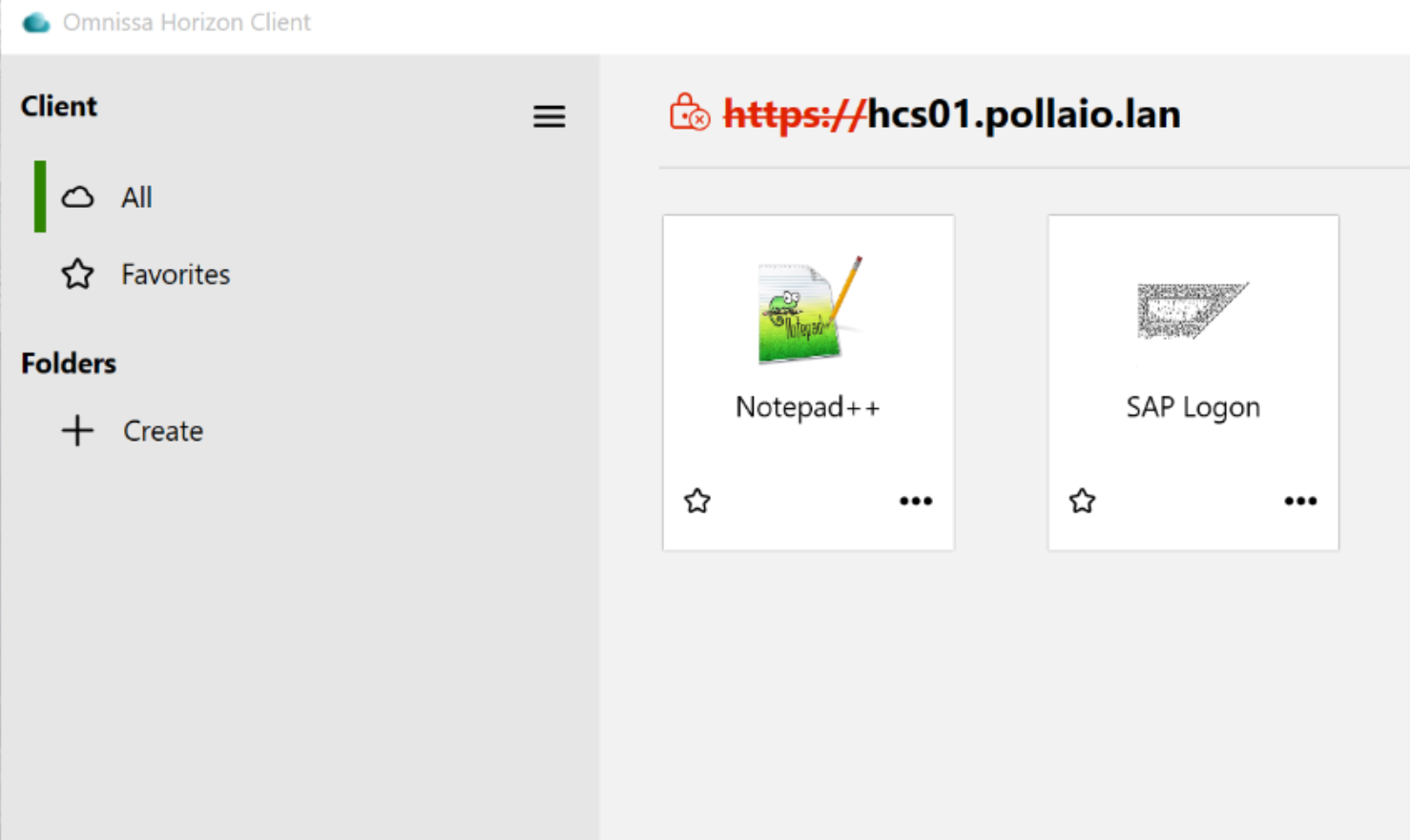
Where the SAP LOGON icon was grayed out and not well defined, the same situation was present with access via WEB.
After various analyses and attempts to solve it, I identified in the Horizon ADAM LDAP DB the presence of a mapping between the published application and the icons used
To access the ADAM LDAP DB, follow the instructions in this KB
Connecting to the Horizon Connection Server Local ADAM Database (2012377)
Once connected to the DB, we will be able to find our published application under Applications and check the associated icon or icons in the properties.
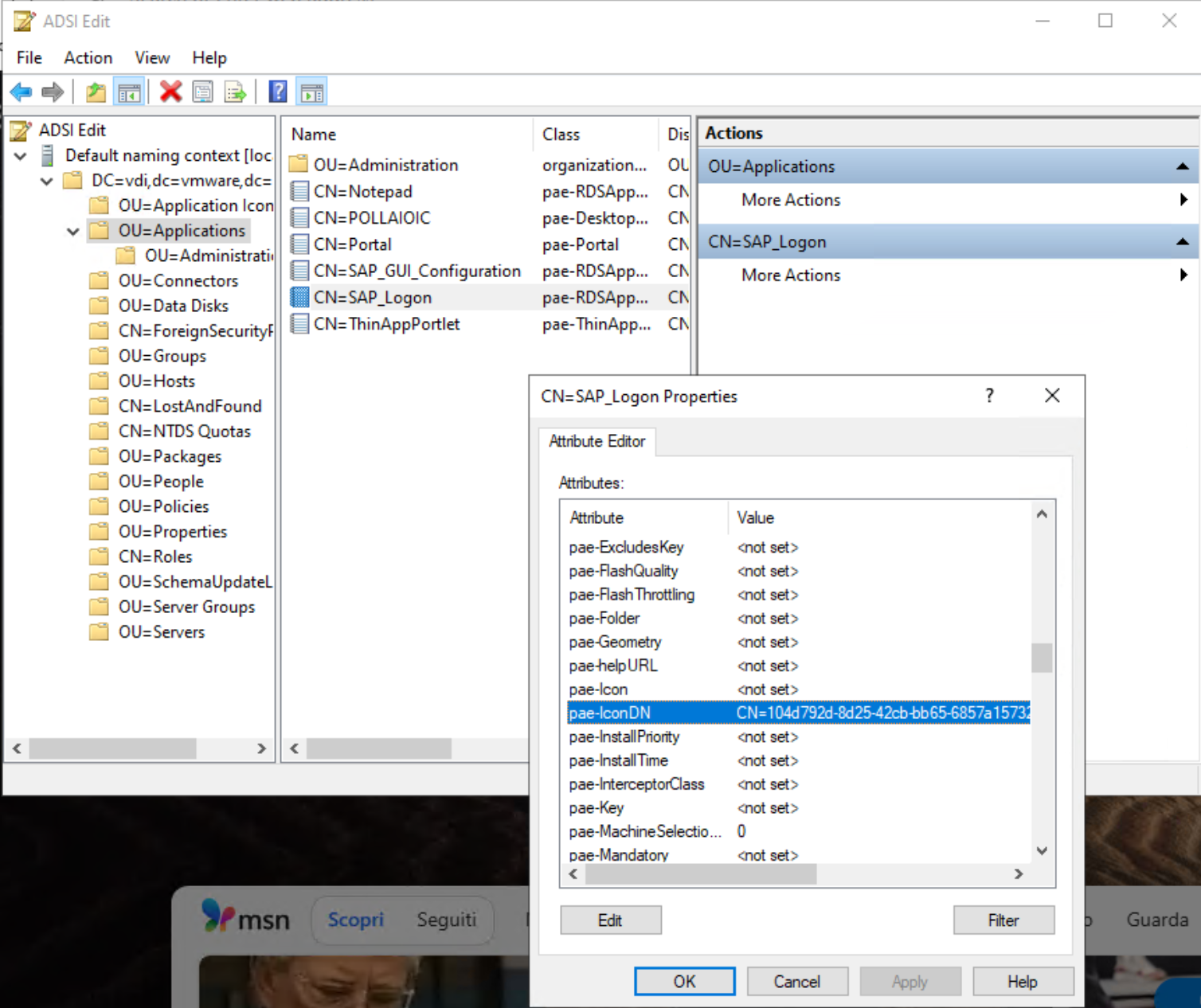
In my case, the pae-IconDN field was populated by 10 entries. In the image below, I show the status of the field
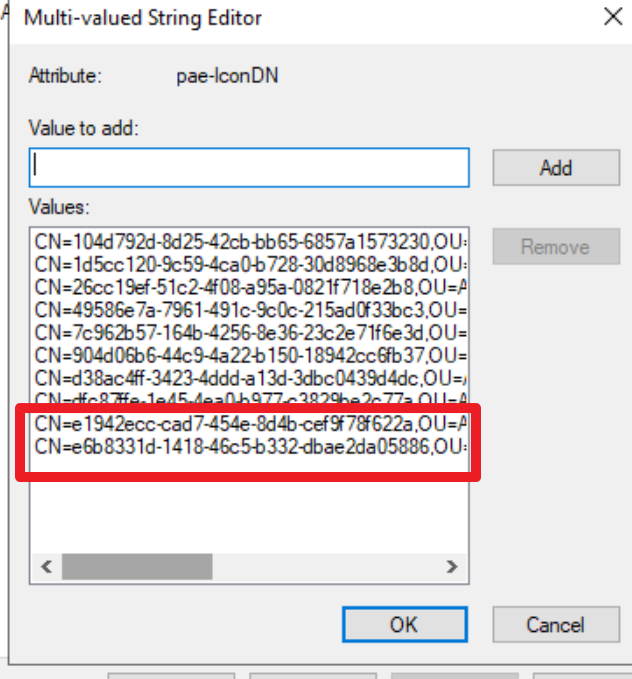
By removing the first 8 Entries (by trial and error), I was able to restore the correct situation
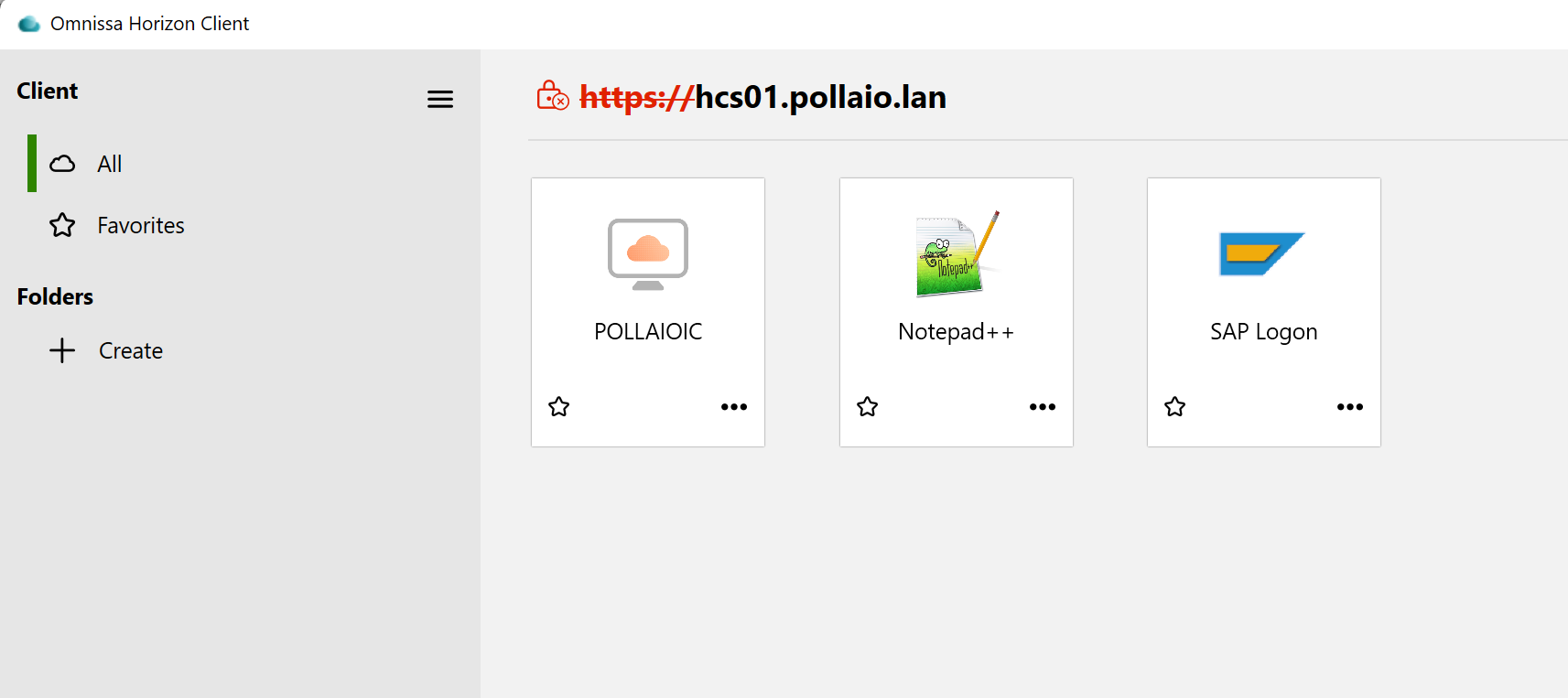
Some points of attention:
- The icons in question (for example, the 10 of SAP LOGON) are all downloaded to the Horizon client cache located in C:\Users\%USERNAME%\AppData\Local\Omnissa\Omnissa Horizon Client\Icon Cache, but there is no link between the file name with the icon image and the ADAM LDAP DB (at least, I didn’t find it)
- If we publish another SAP GUI or remove and republish the current one, the problem may recur, and it is necessary to intervene in the same way