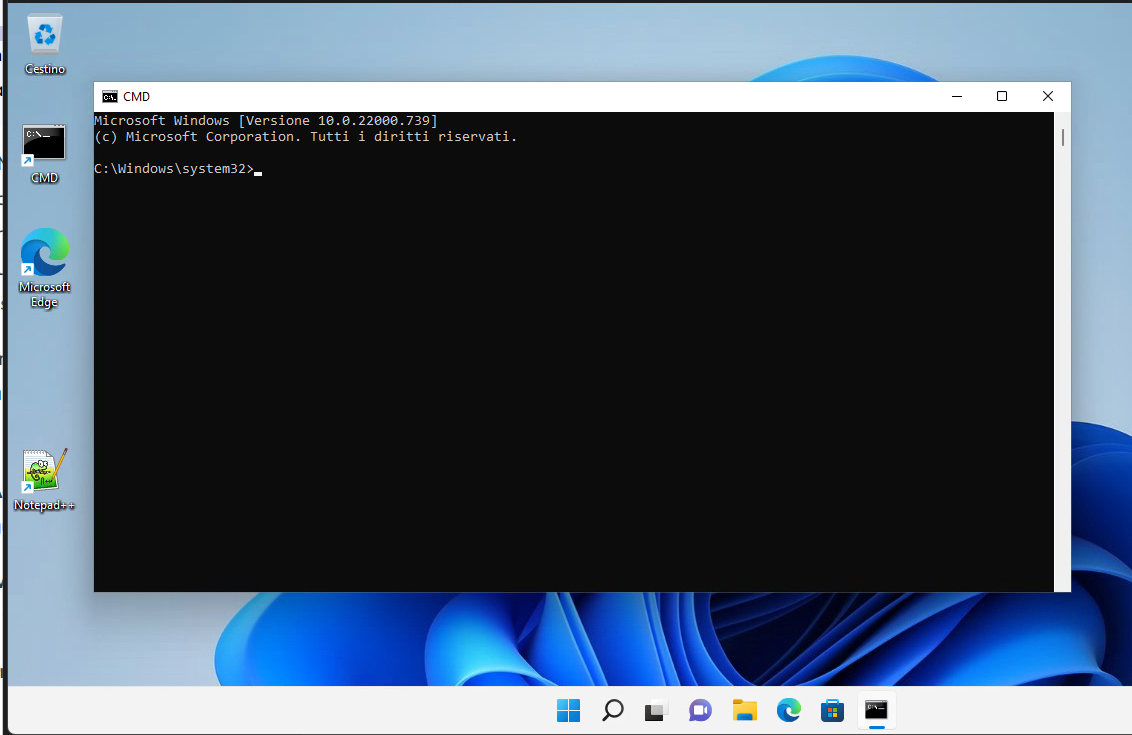
The Dynamic Environment Manager 2406 has many new functions, we can read all the info about this version in the following link:
Omnissa Dynamic Environment Manager Release Notes
I want to write about the “User-Managed Auto-Start Shortcuts”.

To use this new function it is necessary to:
- upgrade FlexEngine Agent to 2406 on VDI (Master Image or VDI Full Clone):
- For AD agent install -> update the ADMX template (On Active Directory Central Store)
We need to modify or create a GPO (assigned to the OU where the VDI are allocated) and enable the “User-Managed Auto-Start Shortcuts”
User Configuration -> Policies -> Administrative Templates: Policy Definitions -> VMware DEM -> FlexEngine -> Self-Support -> Allow managing auto-start shortcuts and set it to Enable
- For NOAD agent Install -> Use this parameter ManageAutoStartShortcuts, on the upgrade step, and set it to 1 to configure properly the self-support tools
- upgrade DEM console to 2406
Now in DEM Console (under User Environment), we need to create ShortCuts like this
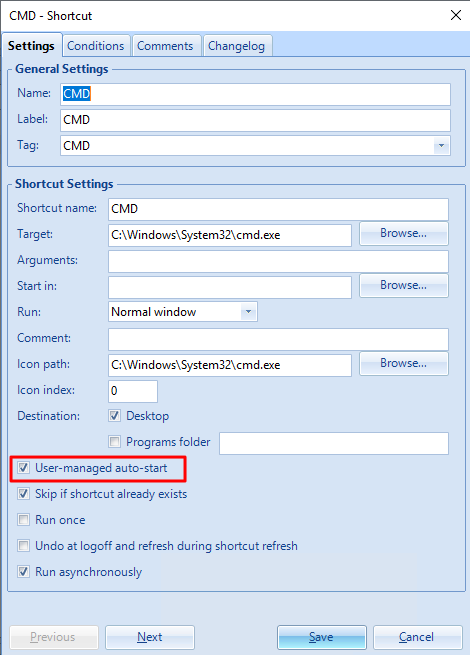
We need to enable “User-managed auto-start”
Now when the users log in to their VDI and launch the DEM Self-support program, they can select which shortcut applications automatically start when they log on:
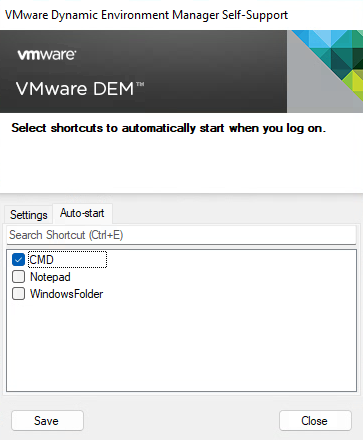
Click SAVE and Close
Now at the next login……